Free 8-page zine template
A blank, printable mini zine template with the fold and cut lines and every page marked. Print it, draw or write on it, then fold it into a little book.
Letter: 8.5 × 11 in sheet, 2.75 × 4.25 in pages. A4: 210 × 297 mm sheet, 74 × 105 mm pages.
Have your pages on the computer already?
The zine maker lays out your PDF or photos on the sheet for you, in the right order and the right way up. It runs in your browser, so your files stay on your device.
How the template is laid out
The sheet is split into 8 panels. The bottom row, from left to right, holds pages 6, 7, 8 (the back cover) and 1 (the front cover). The top row holds pages 5, 4, 3 and 2 upside down. Keep the top row upside down while you draw: it turns the right way up when you fold the zine.
How to print and fold it
- Print one-sided, landscape, at actual size / 100%.
- Fold the sheet in half from top to bottom, crease it and unfold it.
- Fold it in half from left to right, then in half again. Crease and unfold.
- Fold it in half from left to right once more and cut along the marked line, from the folded edge to the next crease. Unfold.
- Fold it from top to bottom, printed side out, push the ends together so the slit opens, and fold the pages into a book.
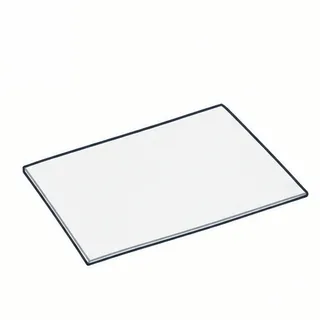 1. Start with the printed sheet
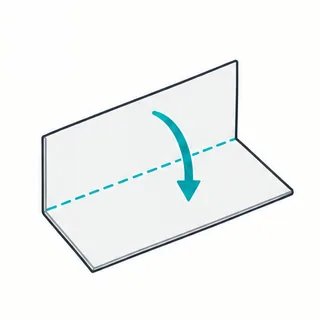 2. Fold in half the long way
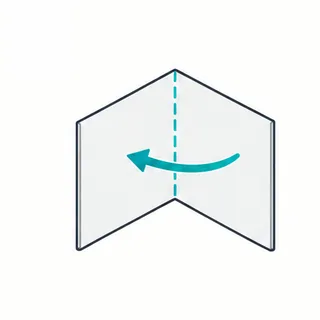 3. Fold in half the short way
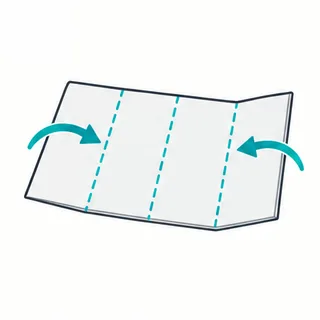 4. Fold both ends to the middle
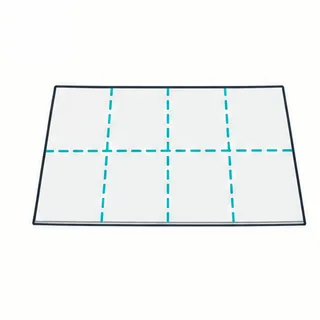 5. Open: 8 panels
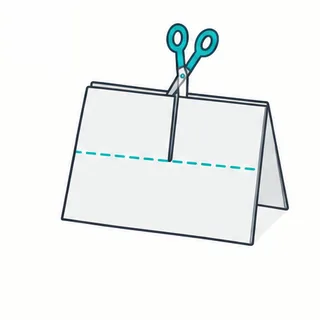 6. Fold in half, cut to the crease
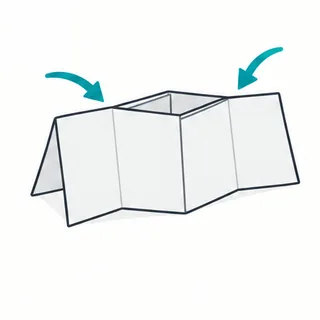 7. Fold the long way, push the ends in
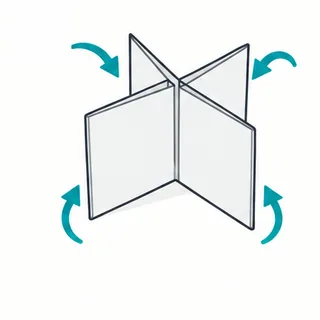 8. Fold the pages around
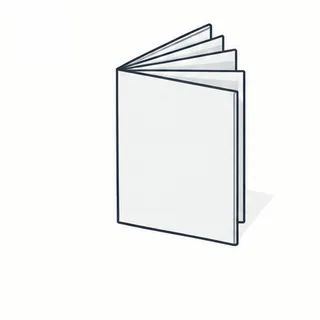 9. Done
Tips
- Most printers leave a thin white border at the edge of the paper. Keep words and faces a little away from the outer edges.
- Draw in pen or marker on the printed template, or print the template and photocopy your finished zine to make more.
- Need a longer booklet? The booklet maker makes a folded and stapled booklet from any PDF.